
Browse & discover
GFA introduces the brand while people consume content across eligible Naver inventory.

Naver GFA places your brand across Naver's content ecosystem through targeted display inventory built for awareness, retargeting, and mid-funnel engagement.
Naver GFA (성과형 디스플레이 광고) is Naver's performance display advertising platform. Rather than waiting for a search query, brands can reach potential customers through eligible placements across Naver properties and partner media.
Display ads can introduce products, reinforce a message or bring previous visitors back. Naver PowerLink serves a different job: it responds to people who are actively searching. The strongest media mix depends on your audience, product and measurement setup.
GFA introduces the brand while people consume content across eligible Naver inventory.
PowerLink can respond to expressed intent; Blog and Cafe content may help with evaluation.
Measurement and eligible remarketing help assess what happens after exposure.
Illustrative planning model. Paths and reporting availability vary by campaign and are not guaranteed.
Explore five illustrative Naver content environments. The right inventory, ad format and creative specifications depend on each campaign.
A wide top-screen brand message can introduce a product before users search.
Main page availability depends on creative type, inventory and campaign eligibility.
An in-content unit can carry relevant brand messaging in a reading environment.
Ad position and format depend on the individual placement; not all news slots use the same creative.
Visual campaigns can be adapted for entertainment viewing moments and appropriate audience segments.
Webtoon inventory and product availability should be confirmed in the active ad console.
Native presentation can help brands reach audiences browsing group content where supported.
Do not assume access to every community or user-level group activity.
Context-aware creatives can introduce relevant offers alongside content where placement is supported.
Organic Cafe posts and paid display inventory are different products.
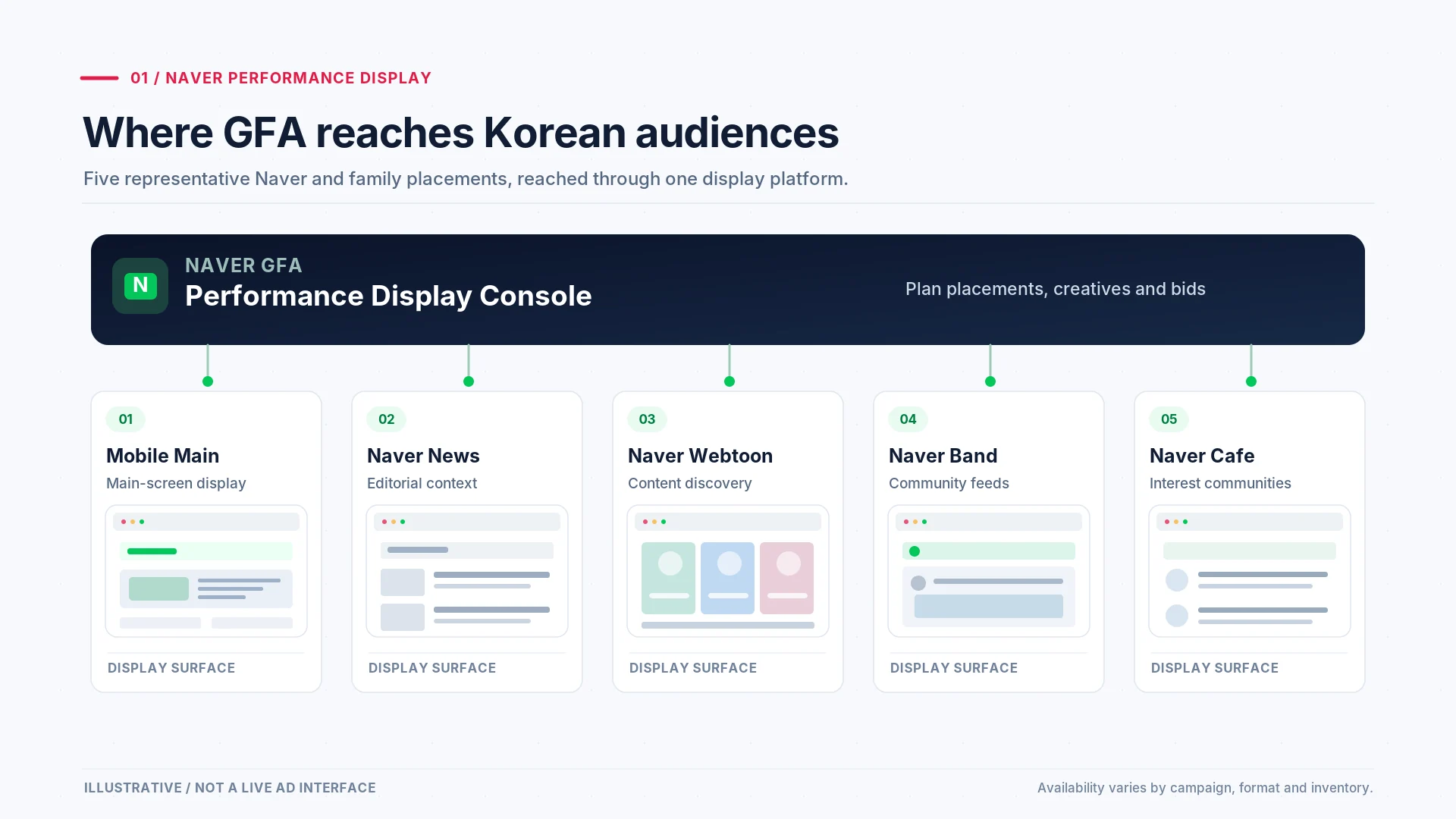
These placements are illustrative and depend on current inventory, campaign setup and eligibility.
Understand four representative creative presentations, rather than treating them as the entire GFA catalogue. Format availability and specifications change over time.
Top-area display presentation for selected Naver app surfaces. Always validate the current placement and creative requirements, including changes to Mobile Main Home specifications.
An in-feed card can combine visual storytelling with an action. Exact dimensions, interactions and formats vary by product and placement.
A native banner uses an image, text and action within a surrounding content layout. It remains clearly labeled as advertising.
Display and video formats can extend visual reach. Video, commerce and communication products also exist beyond the four examples shown here.
Simplified HTML depiction for explanation—not an actual Naver Ads preview.
Simplified HTML depiction for explanation—not an actual Naver Ads preview.
Simplified HTML depiction for explanation—not an actual Naver Ads preview.
Simplified HTML depiction for explanation—not an actual Naver Ads preview.
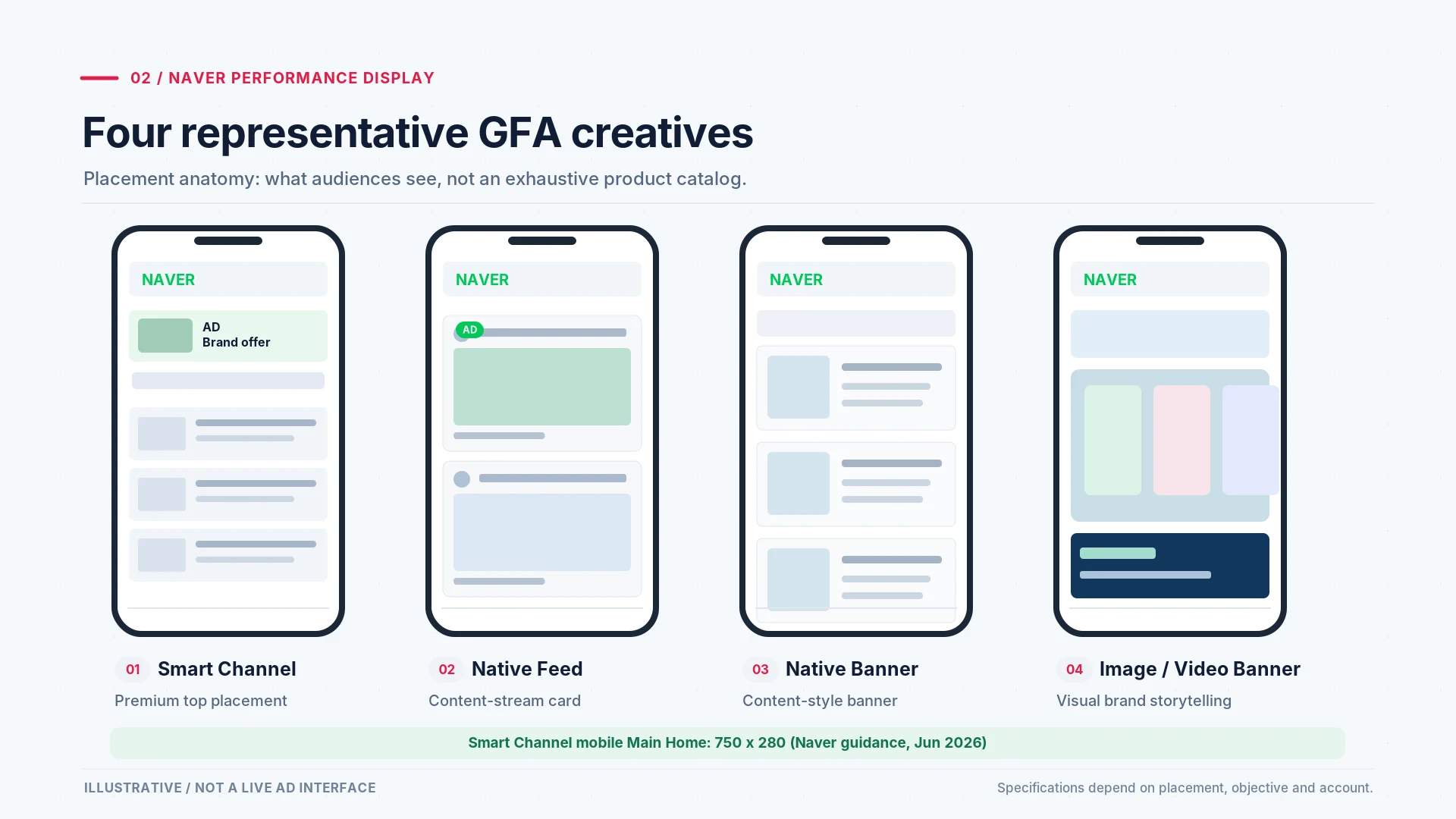
This is a conceptual visual, not a live Naver advertiser screen. Review the current specifications for each placement.
Specification update: Naver ended 750×200 Smart Channel creatives on Mobile Main Home on 25 June 2026, while directing advertisers to 750×280 for that placement. Other placements may differ; confirm the current official Naver placement notice before production.
GFA can introduce demand before a search. PowerLink responds to an active query. Naver Blog and Cafe content can support subsequent evaluation.
Reach eligible audiences while they browse content. Track exposure, engagement and relevant post-click outcomes.
Awareness & considerationMeet people looking for a brand, service or category with keyword-led search advertising.
High-intent searchHelp buyers assess product details, reviews and next steps before a purchase or enquiry.
Trust & conversion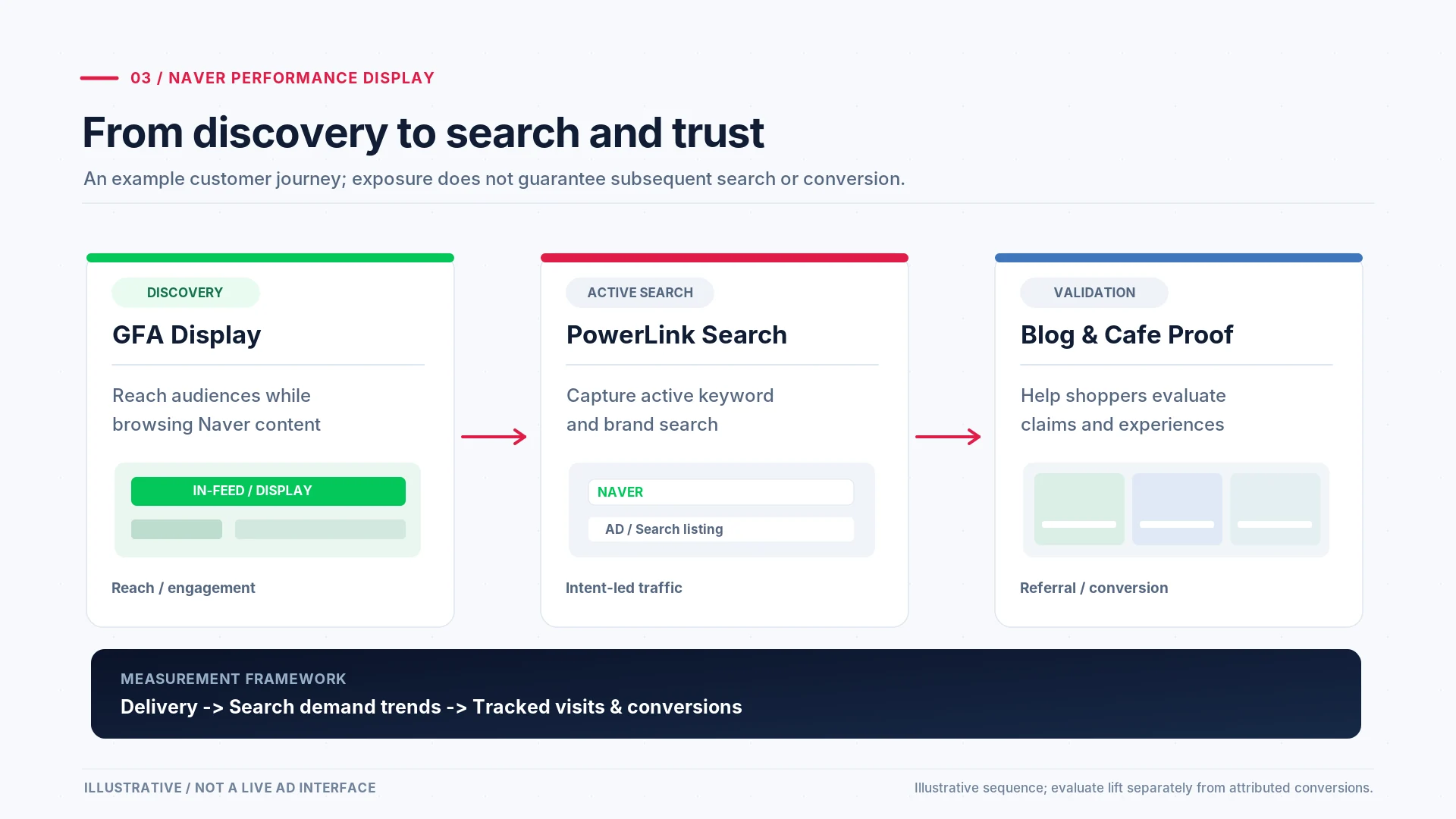
An illustrative customer journey, not a guaranteed or universal conversion path.
From campaign goals and Korean-native creative to tracking, optimization and transparent reporting.
Each stage produces work that a client can evaluate. The deliverables shown are examples of typical planning outputs, not evidence of completed client results.
Define whether the campaign prioritizes market entry, consideration, qualified traffic or re-engagement.
Select eligible demographic, interest or advertiser-data audiences with appropriate exclusions and scope.
Build Korean-language concepts, formats and landing pages suited to the selected placements.
Configure campaign structure, eligible inventory, bidding and relevant conversion actions.
Review delivery and creative responses; adjust budgets, audiences or placements against campaign evidence.
Distinguish delivery metrics, attributable conversions and broader brand effects in a bilingual update.
Choose a planning objective to explore Naver GFA's audience options. This is a conceptual strategy tool, not a live targeting calculator or a promise of user-level data access.
Start with available age, location and device controls relevant to the product.
Consider eligible Naver-provided interest or purchasing-intent segments; verify definitions in the console.
Align creative concepts with the product category and suitable inventory.
Consider ADVoost Audience or Target Finder where available; review control and reporting limitations.
Verify that Naver conversion tracking is properly implemented and consent rules are met.
Use eligible site visitor, customer or store-based cohorts only when supported.
Tailor follow-up messages to earlier product consideration without claiming knowledge of individual identities.
Review exclusions, audience size and frequency controls when the campaign supports them.
Naver GFA (성과형 디스플레이 광고), formerly known as Glad for Advertisement, is Naver's display advertising platform that places visual ads across Naver's content properties including the Naver homepage, News, Webtoon, Band, and Cafe. GFA campaigns target Korean audiences by demographics, interests, and behavior rather than by search keywords, making them suited for brand awareness, product launches, and audience retargeting. Naver rebranded the product to 성과형 디스플레이 광고 (Performance Display Advertising) around October 2020. GFA remains the widely used legacy name.
Naver GFA operates on a CPM (cost-per-thousand-impressions) or CPC bidding model depending on the campaign objective and placement. Costs vary by targeting specificity, creative format, and seasonal demand. Premium placements like the Naver main page command higher rates than Naver Cafe or Band placements.
Naver GFA (성과형 디스플레이 광고), formerly known as Glad for Advertisement, is Naver's display advertising platform that places visual ads across Naver's content properties including the Naver homepage, News, Webtoon, Band, and Cafe. GFA campaigns target Korean audiences by demographics, interests, and behavior rather than by search keywords, making them suited for brand awareness, product launches, and audience retargeting. Naver rebranded the product to 성과형 디스플레이 광고 (Performance Display Advertising) around October 2020. GFA remains the widely used legacy name.
Naver GFA operates on a CPM (cost-per-thousand-impressions) or CPC bidding model depending on the campaign objective and placement. Costs vary by targeting specificity, creative format, and seasonal demand. Premium placements like the Naver main page command higher rates than Naver Cafe or Band placements.

Naver GFA campaigns require platform knowledge, Korean creative production, and direct account access. Inquivix manages GFA for international brands from Seoul, from audience strategy through reporting.