How to Create and Manage Your Naver Account and Why You Should Have One
Creating a Naver account is your first step to unlocking one of South Korea’s most powerful digital ecosystems. As Korea’s leading search engine and online platform, Naver offers a wide range of services, from email and blogging to shopping, news, webtoons, and even digital payments. Whether you’re living in Korea, planning to travel there, or doing business with Korean audiences, having a Naver account gives you access to tools and features that are essential for navigating the local internet space. In this guide, we’ll walk you through everything you need to know, from setting up your account to managing it.
What Is a Naver Account and Why Do You Need One?
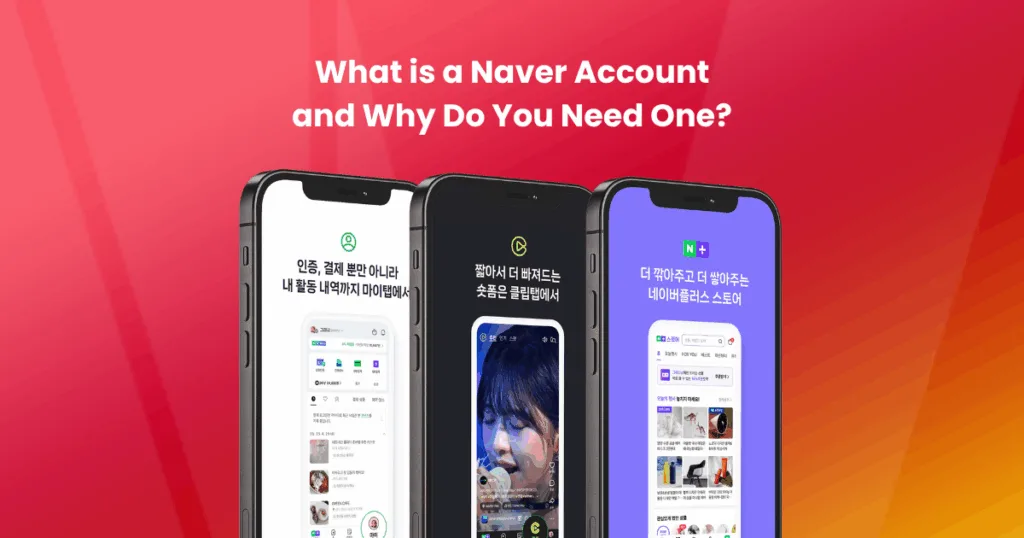
A Naver account is a personal login that grants you access to a wide range of digital services offered by Naver, South Korea’s dominant search engine and content platform. Much like a Google account gives you access to Gmail, YouTube, and Google Drive, a Naver account connects you to a unified ecosystem of tools and platforms tailored to Korean users.
Whether you’re a resident in Korea, a K-culture enthusiast, or a global business targeting the Korean market, having a Naver account is essential for full access to the platform’s features. Many of Naver’s core services, like blog publishing, online shopping, or using the Naver Pay wallet, require an authenticated user account.
Here’s what you can do with a Naver account:
- Use Naver Mail – Get your own @naver.com email address for secure communication.
- Start a Naver Blog – Share articles, photos, or reviews to engage with Korean audiences.
- Access Naver Shopping and Naver Pay – Shop online and manage payments securely.
- Participate in Naver Café and Knowledge iN – Join interest-based communities or ask and answer questions.
- Customize Your Naver Homepage – Personalize your dashboard for news, weather, finance, and entertainment.
- Connect to Other Services – Use your Naver login for apps like Naver Webtoon, LINE, and Naver Map.
For businesses, a Naver account opens the door to Naver Ads, SmartPlace (for local SEO), and analytics tools crucial for visibility in Korea’s unique online environment.
In short, if you want to integrate with Korea’s digital landscape, whether personally or professionally, a Naver account isn’t just helpful; it’s essential.
How to Create a Naver Account (Step-by-Step)
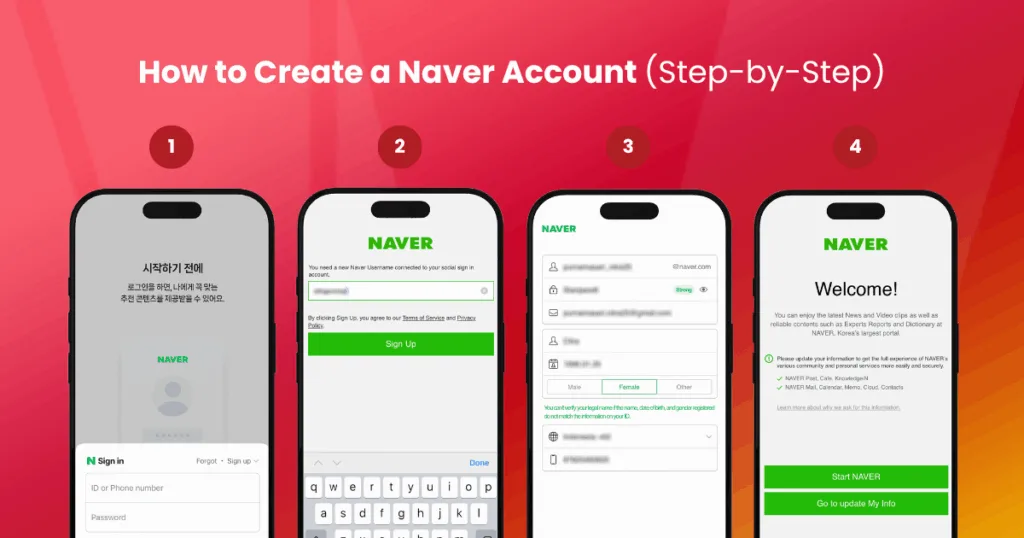
Setting up a Naver account can be a bit tricky for non-Korean users, especially since the platform is primarily designed for Korean speakers. However, with the right guidance, the process is straightforward and manageable, even if you don’t speak Korean. Below, we break down two main ways to create your Naver account: via desktop and through the mobile app.
Option 1: Sign Up via Desktop (with English Navigation Tips)
To create a Naver account using your desktop browser:
- Go to the Naver Sign-Up Page: Visit https://www.naver.com and click on the “회원가입” (Sign Up) button.
- Choose Individual Registration: Select the option for a personal/individual account (as opposed to a business or child account).
- Fill in Your Information:
-
- Name: Use your real name (Latin characters accepted).
- Username/ID: Choose a unique ID (this becomes your Naver email).
- Password: Use a secure password with a mix of characters.
- Date of Birth and Gender
-
- Mobile Phone Number: Choose your country code and input a valid number for verification.
- Email Address (optional but recommended for account recovery)
- Verify Your Phone Number: A one-time password (OTP) will be sent via SMS.
- Accept Terms and Conditions: Scroll down and agree to the required boxes.
- Submit Your Form: Once submitted and verified, you’re done!
Note: Foreign phone numbers are generally supported, but if you face issues, using a Korean SIM card or a global authentication service can help.
Option 2: Sign Up via the Naver Mobile App
For those who prefer mobile or want a smoother English experience, using the Naver App can make the process easier:
- Download the App:
-
- Android: Google Play Store
-
- iOS: App Store
- Launch the App and Tap “Sign Up”: The interface is more user-friendly and may offer partial English instructions.
- Follow the Registration Steps:
-
- The required fields are the same as desktop: name, ID, password, birthday, gender, and mobile number.
-
- Enable app permissions to receive OTPs for verification.
- Change Language Settings (Optional):
-
- Tap the ☰ menu > Settings > General > Language > Select “English”.
The mobile app often updates with better multilingual support compared to the desktop version.
Pro Tips for a Smooth Sign-Up:
- Use a strong password with at least one special character.
- Always register with a valid phone number; this is essential for login and account recovery.
- Save your Naver ID and recovery email in a password manager.
- If your verification fails, try using a different device or switching between Wi-Fi and mobile data.
Logging In to Your Naver Account
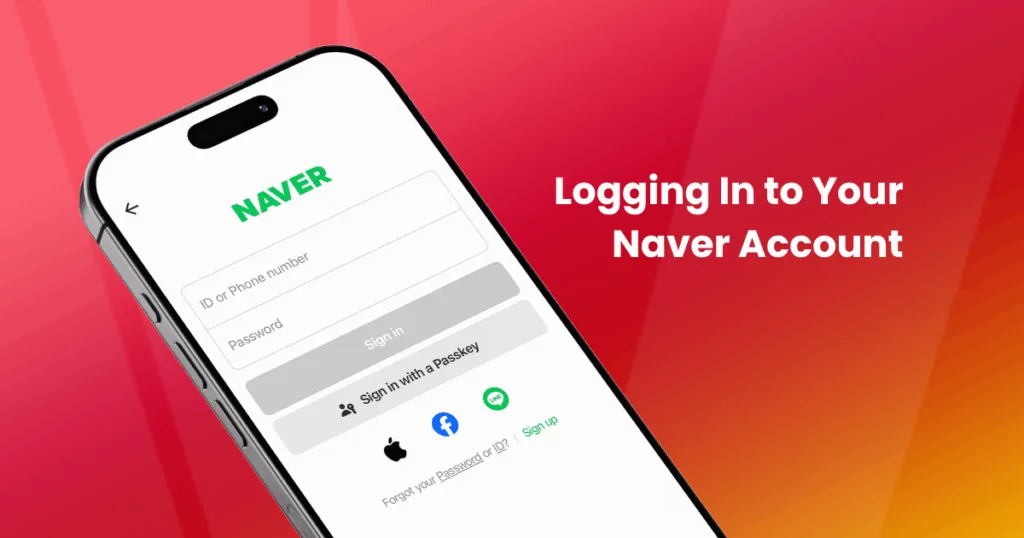
Once you’ve successfully created your Naver account, logging in is a straightforward process, whether you’re accessing it from a desktop browser or the Naver mobile app. However, because most of Naver’s interfaces are in Korean, understanding the login steps and available options is essential to avoid confusion or login errors.
Logging In via Desktop Browser
To log in from your computer:
- Go to www.naver.com
- Click the 로그인 (Login) button, typically in the top right corner.
- Enter your Naver ID and password in the fields provided.
- Click the green 로그인 button to access your account.
Check the “Stay Logged In” box if you’re on a personal device for faster access.
You’ll be redirected to your personalized Naver homepage once logged in, with quick access to email, blog, and other services.
Logging In via the Naver Mobile App
The Naver app offers a faster and often more convenient way to log in, especially for those who’ve enabled biometric or mobile authentication.
- Open the Naver App.
- Tap the Login (로그인) button.
- Enter your ID and password, or use mobile login if previously enabled.
- If you have fingerprint or face unlock set up, you may use that instead.
Tip: Enable push notifications for real-time alerts from Naver services like email or blogs.
Trouble Logging In?
If you’re having issues logging in, Naver provides tools to recover your credentials:
- Forgot ID? Click on 아이디 찾기 (Find ID) and follow the prompts to retrieve your username using your registered phone number or email.
- Forgot Password? Click on 비밀번호 찾기 (Reset Password) to initiate the password recovery process.
- You may be asked to verify your identity via SMS or email, depending on your settings.
Important: If you enter your password incorrectly too many times, your account may be temporarily locked for security reasons. Wait and try again later, or use the password reset feature.
Enable 2-Step Verification for Extra Security
Once logged in, consider enabling 2-step verification for added protection:
- Go to your Account Settings > Security Settings
- Enable login alerts and OTP-based two-factor authentication (2FA)
This adds a strong layer of security, especially if you use Naver for email, blog content, or financial tools like Naver Pay.
Managing Your Naver Account Settings
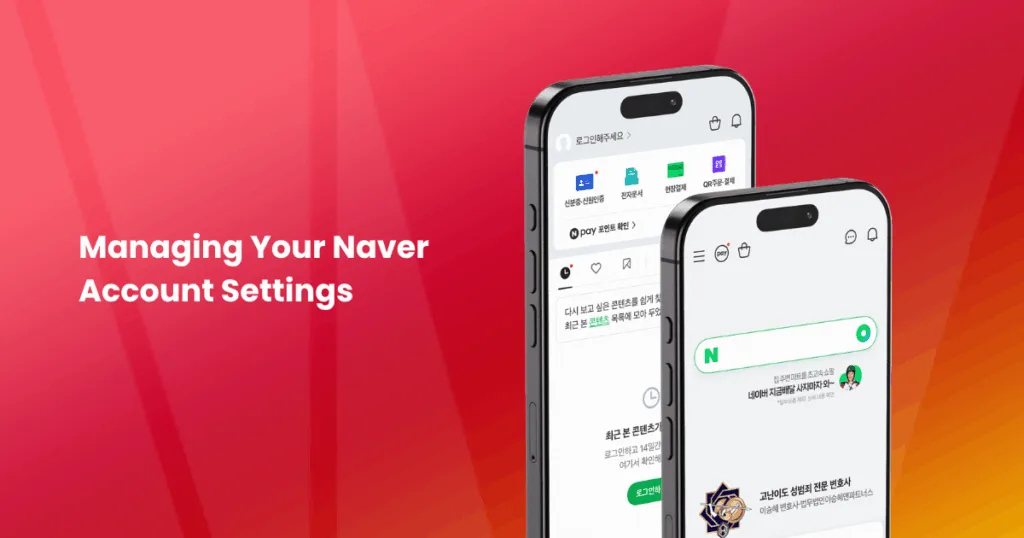
Once your Naver account is set up, it’s important to familiarize yourself with the account settings dashboard. From updating your personal information to improving account security, managing your Naver settings ensures a smooth and secure experience, especially if you plan to use multiple Naver services like email, blog, café communities, or Naver Pay.
How to Access Account Settings
You can manage your settings via both the desktop and the Naver app:
- On Desktop:
- Log in and click your profile icon at the top right > Select “내정보” (My Info) or “Account Settings”.
- On Mobile App:
- Tap the ☰ (menu) icon > Tap your name/email > Go to “Account Info” or “Settings”.
Personal Information You Can Update
Naver allows you to change and manage the following key details:
- Nickname – Update your display name used in blog comments or Naver Café.
- Profile Photo – Add a profile picture to personalize your account.
- Phone Number – Change or verify a new number for account recovery and verification.
- Email Address – Update your backup email for notifications and recovery.
- Password – Change your password for added security (recommended every 3–6 months).
- Language Preferences – In the app, switch the interface to English (limited to some menus).
Make sure to verify any new phone number or email immediately after updating.
Security and Privacy Settings
Keeping your Naver account secure is essential, especially if you use sensitive services like Naver Pay or Naver Mail.
Here’s what you can manage:
- Two-Factor Authentication (2FA) – Add an extra layer of login protection using OTPs.
- Login History – Monitor devices and locations accessing your account.
- Connected Devices – View and remove old or unknown devices.
- Privacy Settings – Choose what personal info is visible on your profile or blog.
- Login Alerts – Get email or SMS notifications for new logins.
Regularly review your login history to detect unauthorized access early.
Service Preferences and Notifications
Fine-tune how you interact with various Naver services:
- Naver Blog/Café Settings – Adjust visibility, comment permissions, or linked social media.
- News Feed Preferences – Customize your interests (entertainment, finance, sports, etc.).
- Push Notifications – Enable or disable alerts for email, blog comments, or Naver Pay.
- Language & Region Settings – Helpful for non-Korean users accessing from abroad.
Turn on only the notifications you need to avoid clutter and stay focused.
Managing your Naver account settings not only enhances your user experience but also ensures that your data is secure and your profile remains up to date. Whether you’re using Naver casually or for professional purposes, it’s worth taking a few minutes to review these settings regularly.
Using Naver for Business or Marketing
If you’re planning to reach Korean consumers, Naver is not just an option, it’s a necessity. With over 70% of search engine market share in South Korea, Naver dominates the country’s online landscape. While Google may be your go-to in most markets, in Korea, Naver is where customers search for businesses, products, services, and content. That’s why having a Naver account is essential if you want to succeed in Korean digital marketing.
Whether you’re a global brand expanding into Korea or a local business aiming to improve visibility, Naver offers a variety of tools to build your online presence, drive traffic, and generate leads.
Why Businesses Rely on Naver
Here’s what makes Naver such a powerful platform for marketing in Korea:
- Search Dominance – Naver uses a unique algorithm that prioritizes its own content (blogs, cafés, news) over external websites. To appear in top search results, businesses must leverage Naver-native content.
- Content-Driven Discovery – Consumers trust blog reviews, café discussions, and Q&A content over traditional ads.
- Localized SEO (SmartPlace) – Helps brick-and-mortar stores appear in map results, location-based searches, and Naver Maps.
- Built-in Analytics and Ads – Track traffic, run keyword-targeted ads, and retarget users with display ads.
Think of Naver as a hybrid of Google, YouTube, and Reddit, all in one Korean-language ecosystem.
Naver Tools for Businesses
To tap into Naver’s full potential, here are the key services you can use (all require a verified Naver account):
1. Naver Blog
- Use content marketing to build authority, boost visibility, and reach potential customers through blog search.
- Blog content often ranks higher than official websites on Naver SERPs.
2. Naver Café
- Join or create communities to promote your brand through group discussions.
- Great for niche markets or product feedback.
3. Naver SmartPlace
- Register your business location so it appears on Naver Maps and local search.
- Manage your business hours, menu, photos, and reviews.
4. Naver Ads (PowerLink and Shopping Ads)
- Run keyword-based search ads or product listing ads on Naver SERPs.
- Reach targeted demographics with customizable ad formats.
5. Naver Pay Business
- Accept online payments from Korean consumers via Naver’s trusted wallet service.
- A must-have for e-commerce targeting local buyers.
Setting Up a Naver Business Account
To get started with Naver business tools, you’ll need to:
- Create a Personal Naver Account
-
- This will be used to verify your identity and register for business services.
- Access Naver Business Services:
-
- Visit https://business.naver.com and choose the relevant service: SmartPlace, Ads, etc.
- Submit Business Verification:
-
- Upload your business registration certificate (Korean businesses only)
-
- Foreign businesses can partner with local agencies (like Inquivix) for account setup and campaign management.
Leveraging Naver for business and marketing isn’t just about signing up; it’s about understanding the Korean user mindset and optimizing your strategy to match how people use the platform. Whether you’re a startup or an established brand, partnering with someone who knows Naver inside and out can accelerate your entry into the Korean market.
Need Help Navigating Naver for Business?
Getting started with Naver marketing as a non-Korean business can be overwhelming, from language barriers and account setup hurdles to ad regulations and content localization. Through the right partnership with a Korean digital marketing agency, you don’t have to struggle alone and figuring Naver will become an easy step for you.
At Inquivix, we specialize in helping international brands establish a strong presence on Naver. Whether you need support with account setup, blog strategy, Naver SEO, SmartPlace listings, or managing high-performing ad campaigns, our local experts are here to guide you through every step.
Let us help you unlock Naver’s full potential, reach Korean customers where they search, shop, and engage every day. Contact Inquivix today to schedule a consultation and take your Korean marketing strategy to the next level.